The tracks of Aiko the hacker (OSINT CTF)
Following a hacker's digital trail through metadata, public keys, social profiles, cryptocurrency, and geolocation clues.
I solved the OSINT “Sakura” CTF on TryHackMe, made by OSINT Dojo. Let’s follow the rabbit hole.
The Tip-Off
The OSINT Dojo recently found themselves the victim of a cyber attack. It seems that there is no major damage, and there does not appear to be any other significant indicators of compromise on any of our systems. However during forensic analysis our admins found an image left behind by the cyber-criminals. Perhaps it contains some clues that could allow us to determine who the attackers were? We’ve copied the image left by the attacker, you can view it in your browser here.
Flag needed to go next step: What username does the attacker go by?
For this first step we get an SVG image. I download it and read the EXIF metadata but nothing here. I read it with Vim (could also read the source directly in the browser, duh). Before the drawing code, I notice an interesting information which seems to be the username of the author, and that’s what we’re looking for:

Flag: SakuraSnowAngelAiko
The Reconnaissance
It appears that our attacker made a fatal mistake in their operational security. They seem to have reused their username across other social media platforms as well. This should make it far easier for us to gather additional information on them by locating their other social media accounts.
Flags needed to go next step:
- What is the full email address used by the attacker?
- What is the attacker’s full real name?
Simply searching “SakuraSnowAngelAiko” through Google leads me to the Github profile of sakurasnowangelaiko (first-name “Aiko”). The “PGP” repository attracts my attention. Indeed there’s a PGP public key in here:
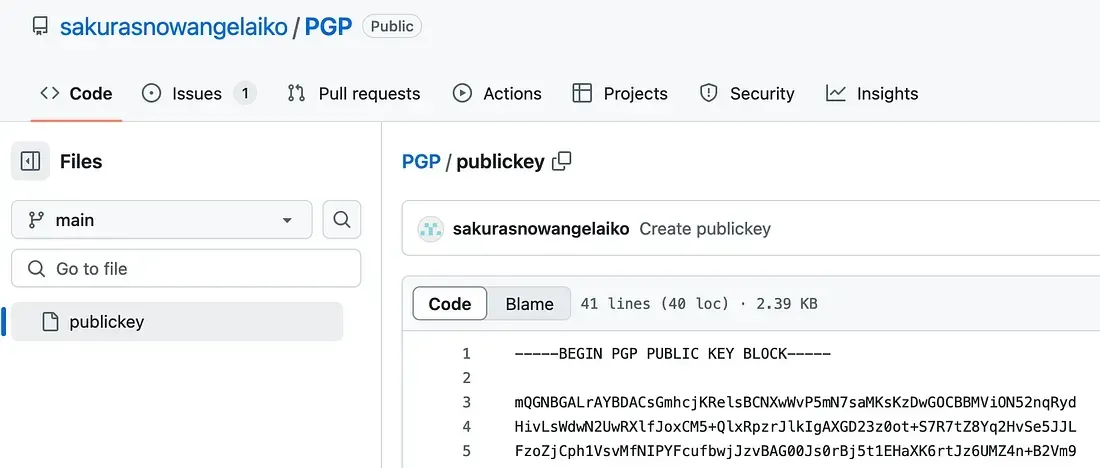
I copy the whole block and go to the gpg-decoder online tool. I get the email address in the decryption result:

Flag 1: SakuraSnowAngel83@protonmail.com
To get the attacker full name, I spend some time searching through the web and various tools with the found email but got no luck.
All I need is the last name (the first-name “Aiko” is on Github), so I keep it simple and search again the username in Google and notice an Instagram entry with the right first-name. The last-name seems to be “Abe”:
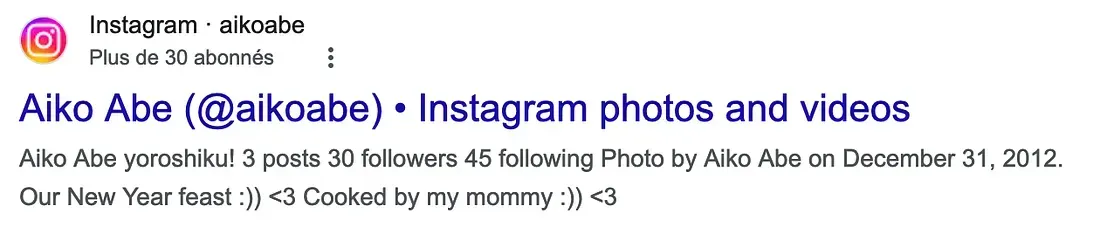
Flag 2: Aiko Abe
The Unveil
It seems the cyber-criminal is aware that we are on to them. As we were investigating into their Github account we observed indicators that the account owner had already begun editing and deleting information in order to throw us off their trail. It is likely that they were removing this information because it contained some sort of data that would add to our investigation. Perhaps there is a way to retrieve the original information that they provided?
Flags needed to go next step:
- What cryptocurrency does the attacker own a cryptocurrency wallet for?
- What is the attacker’s cryptocurrency wallet address?
- What mining pool did the attacker receive payments from on January 23, 2021 UTC?
- What other cryptocurrency did the attacker exchange with using their cryptocurrency wallet?
Going back to the Github profile of the attacker, we can see contributions made in 2021. Especially on a repo named “ETH”, we can click on the commits to see changes made in the project.
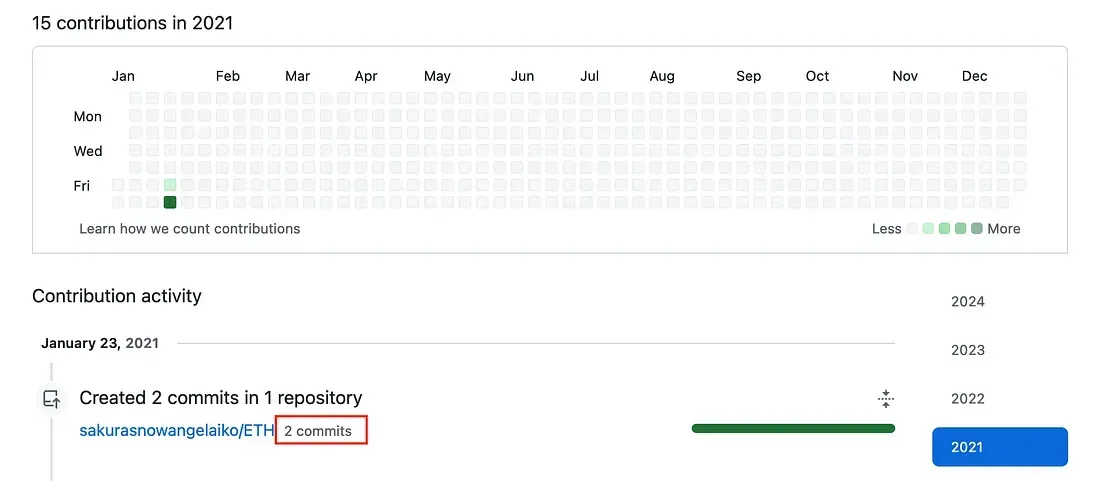

Bingo.
Flag 1: Ethereum Flag 2: 0xa102397dbeeBeFD8cD2F73A89122fCdB53abB6ef Flag 3: Ethermine
The 4th flag is more stretchy, I search the Ethereum wallet address in Google and land to etherscan to view the whole wallet activity.
A glance at the last records is giving me what I need:

Flag 4: Tether
The Taunt
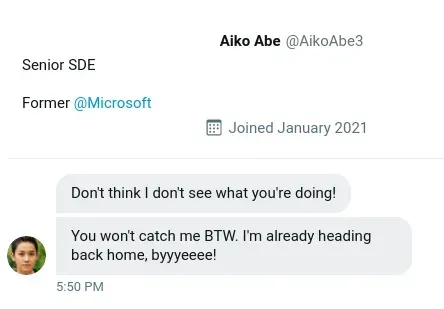
Just as we thought, the cyber-criminal is fully aware that we are gathering information about them after their attack. They were even so brazen as to message the OSINT Dojo on Twitter and taunt us for our efforts. The Twitter account which they used appears to use a different username than what we were previously tracking, maybe there is some additional information we can locate to get an idea of where they are heading to next? We’ve taken a screenshot of the message sent to us by the attacker, you can view it in your browser, here it is:
Flags needed to go next step:
- What is the attacker’s current Twitter handle?
- What is the URL for the location where the attacker saved their WiFi SSIDs and passwords?
- What is the BSSID for the attacker’s Home WiFi?
A quick Google search of “X AikoAbe3” and then looking at the matching profiles is giving me the new/current username of the attacker (this way we know it’s a true positive):
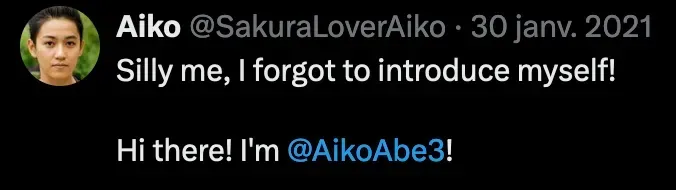
Flag 1: SakuraLoverAiko
I see a screenshot and a message about the attacker’s WiFi SSIDs we’re looking for, with a hash (ultimately pointing to a Dark Web resource I guess):
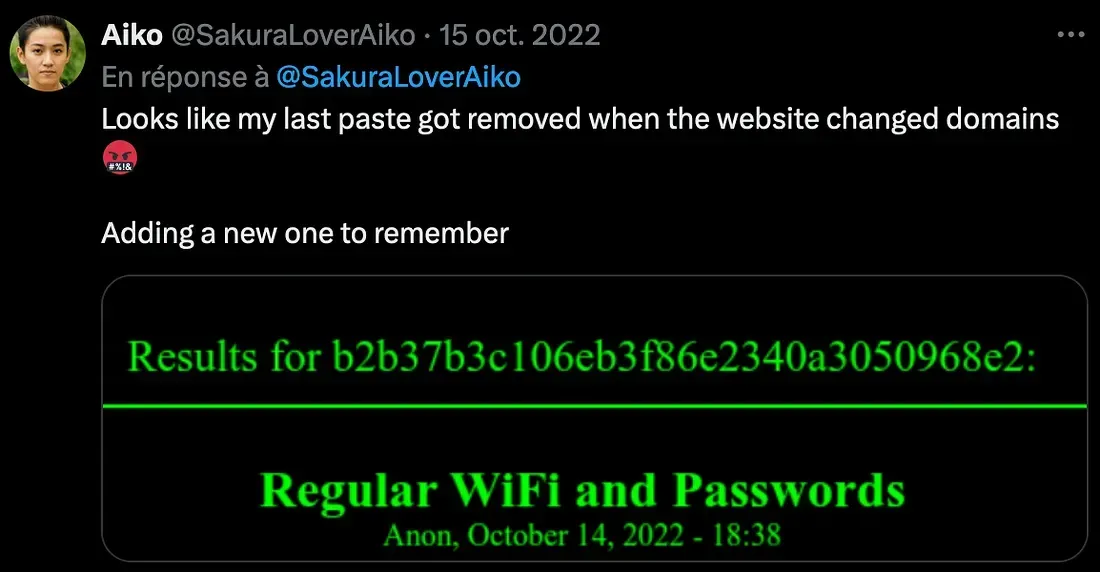
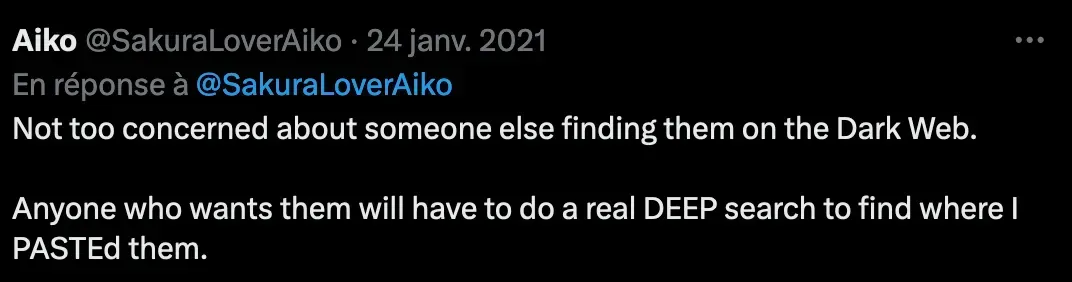
I search for dark web paste services and find some intel:
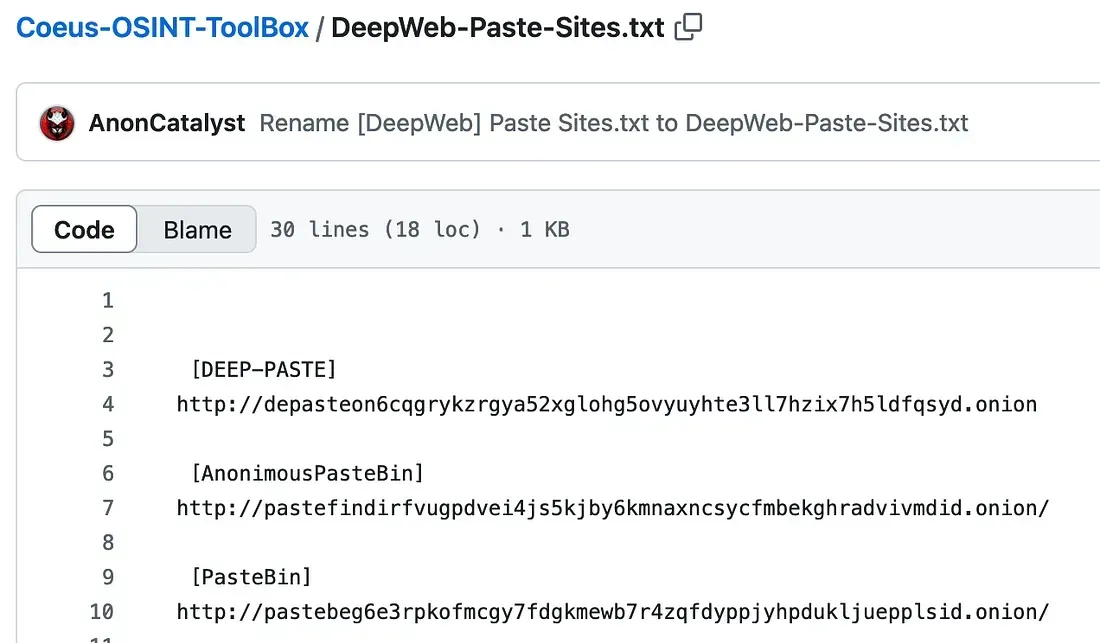
I read DEEP-PASTE and now I get the clue given by Aiko “(…)DEEP search to find where I PASTEd them.” DEEP… PASTE.
So I have a resource hash, a website name, how do I get there? I open up my Tor Browser, go to oniondotindex to get the (possibly) most recent onion address of DeepPaste, and find it:
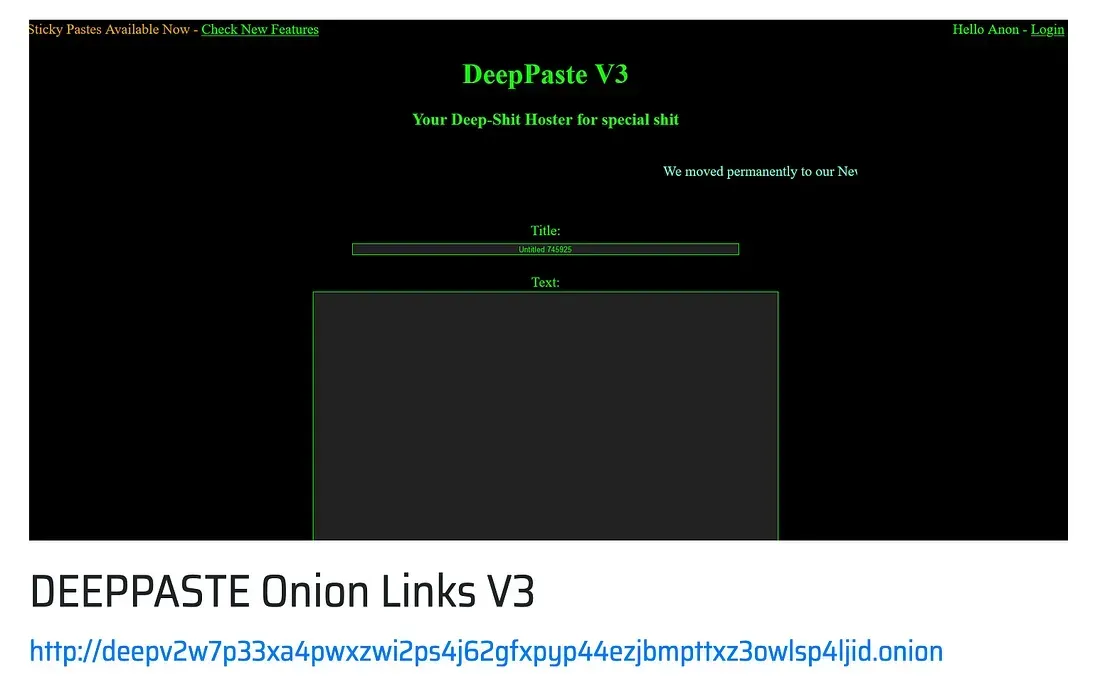
Flag 2: http://deepv2w7p33xa4pwxzwi2ps4j62gfxpyp44ezjbmpttxz3owlsp4ljid.onion
Now that I’m here, I can find Aiko’s Paste with an md5 hash, I give the one posted by Aiko on X (b2b37b3c106eb3f86e2340a3050968e2):
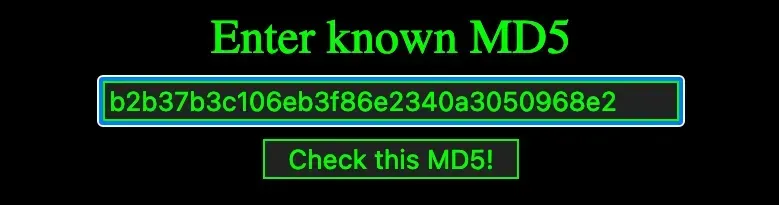
But it redirects me towards nothing:
Maybe the Paste has been removed? I double checked the hash, even tried the old one, I’m a bit clueless, so for the first time I check this flag’s hint on TryHackMe, which is giving me Aiko’s Home WiFi SSID (DK1F-G):
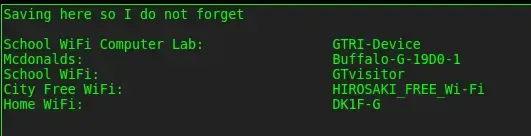
Now let’s find the BSSID that goes with the Home WiFi SSID.
For a previous challenge I’ve used WiGLE to check for this information (careful, the rate limit per day is really low). The home WiFi is — I guess from the DeepPaste data — located in Hirosaki (Aomori, Japan). I place the WiGLE map on this area and search by SSID (DK1F-G), wait for a few sec, zoom in on the last remaining purple dot and get the information I need:
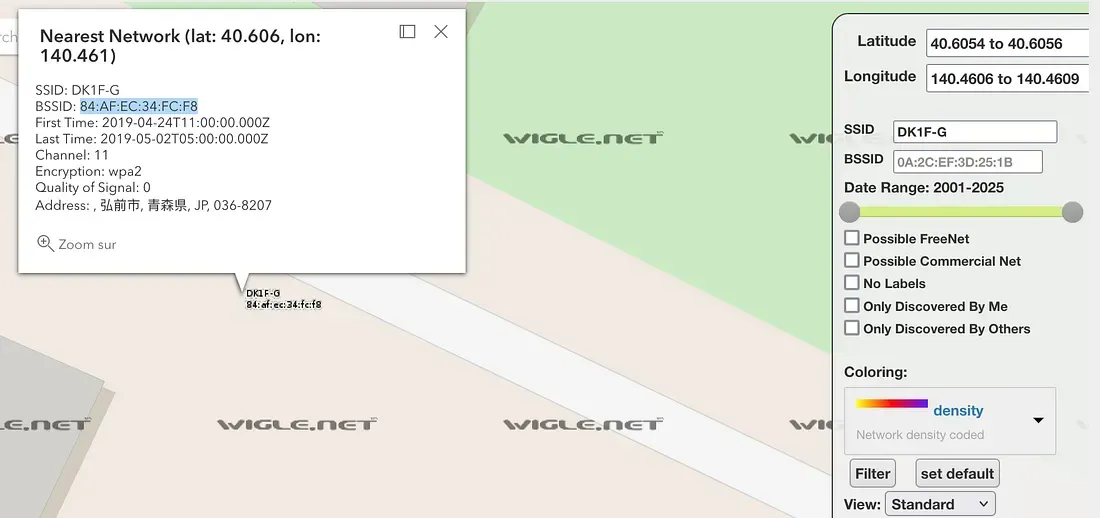
Flag 3: 84:AF:EC:34:FC:F8
Homebound
Based on their tweets, it appears our cyber-criminal is indeed heading home as they claimed. Their Twitter account seems to have plenty of photos which should allow us to piece together their route back home. If we follow the trail of breadcrumbs they left behind, we should be able to track their movements from one location to the next back all the way to their final destination. Once we can identify their final stops, we can identify which law enforcement organization we should forward our findings to.
Flags needed to go next step:
- What airport is closest to the location the attacker shared a photo from prior to getting on their flight?
- What airport did the attacker have their last layover in?
- What lake can be seen in the map shared by the attacker as they were on their final flight home?
- What city does the attacker likely consider “home”?
The first flag refers to this picture:
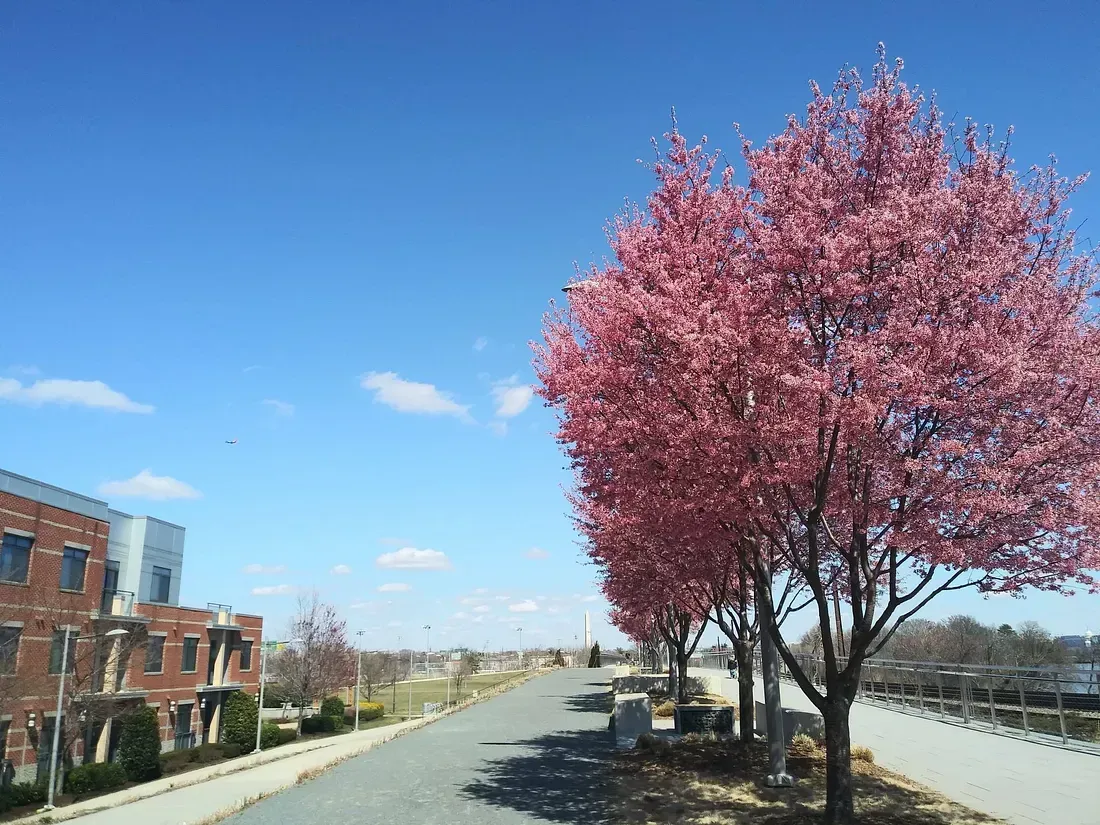
No metadata here. I see an obelisk far away, there’s a chance it’s Washington D.C, but the “IAD” Airport is not the flag.
I search the image through Yandex but got no luck, I try Google Lens and bingo, the flats on the left seems to be a place called “Crystal City Lofts”:
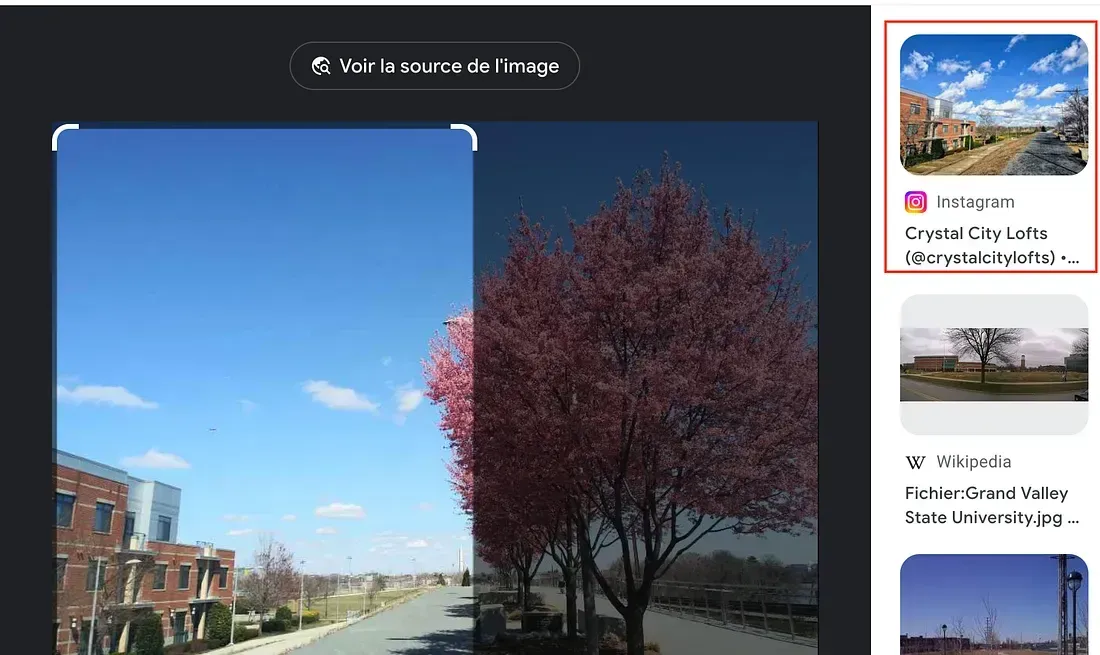
I open Google Maps, search the location and look for an airport. The closest one is The Ronald Reagan Airport, the code of this airport is “DCA”.
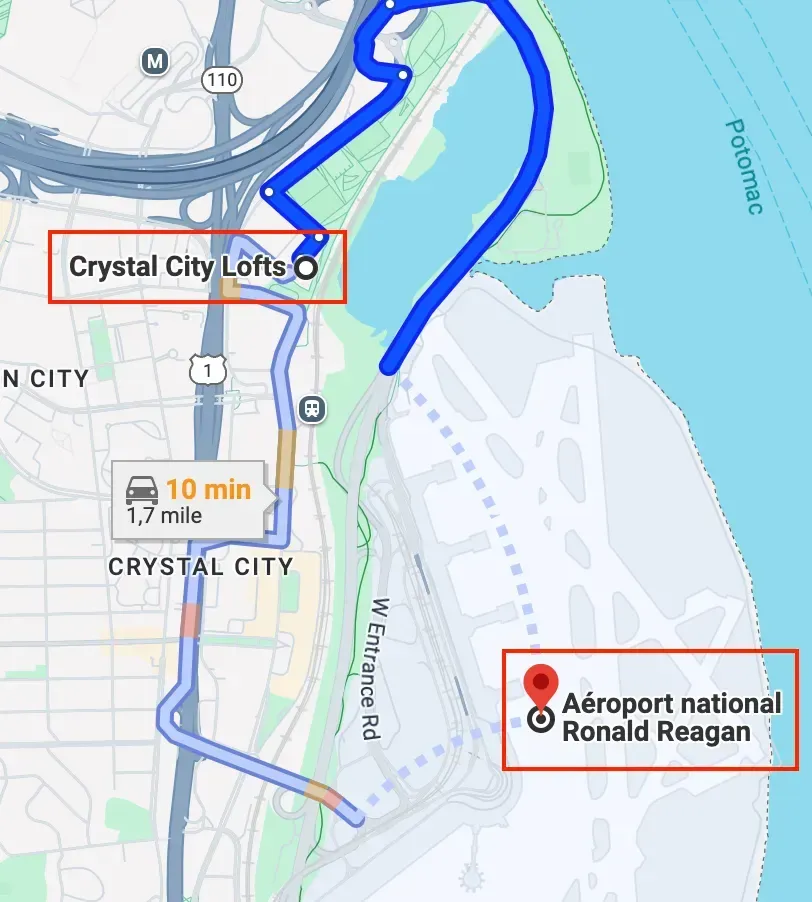
Flag 1: DCA
The second flag refers to this picture:
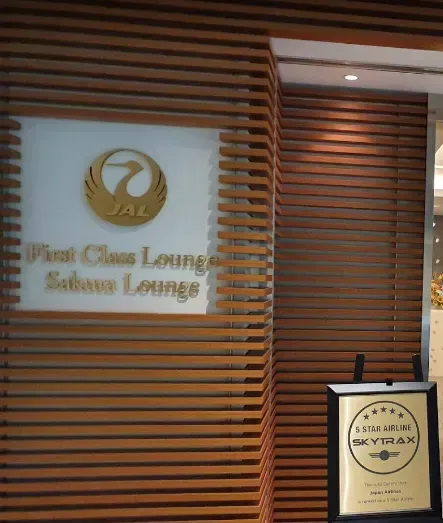
A quick search of “JAL Sakura Lounge” tells me it’s at the Tokyo-Haneda Airport, the code of this airport is “HND”.
Flag 2: HND
Flag 3 refers to this image:
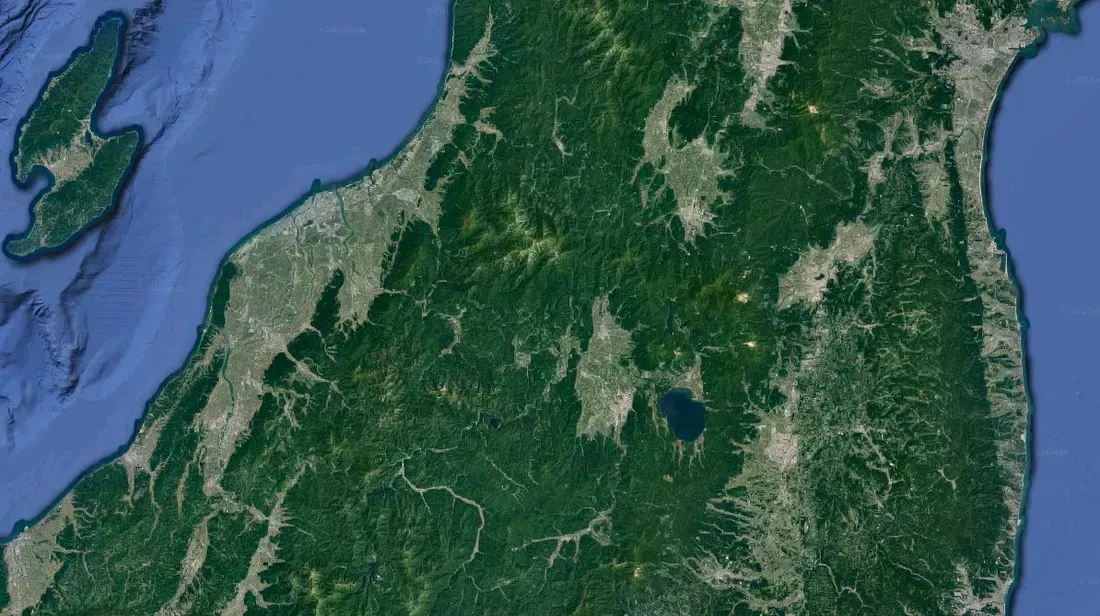
It surely is Japan. I take note of the island on the left. A quick Google Maps search and some zooming is telling me the lake on the center is called “Inawashiro”.
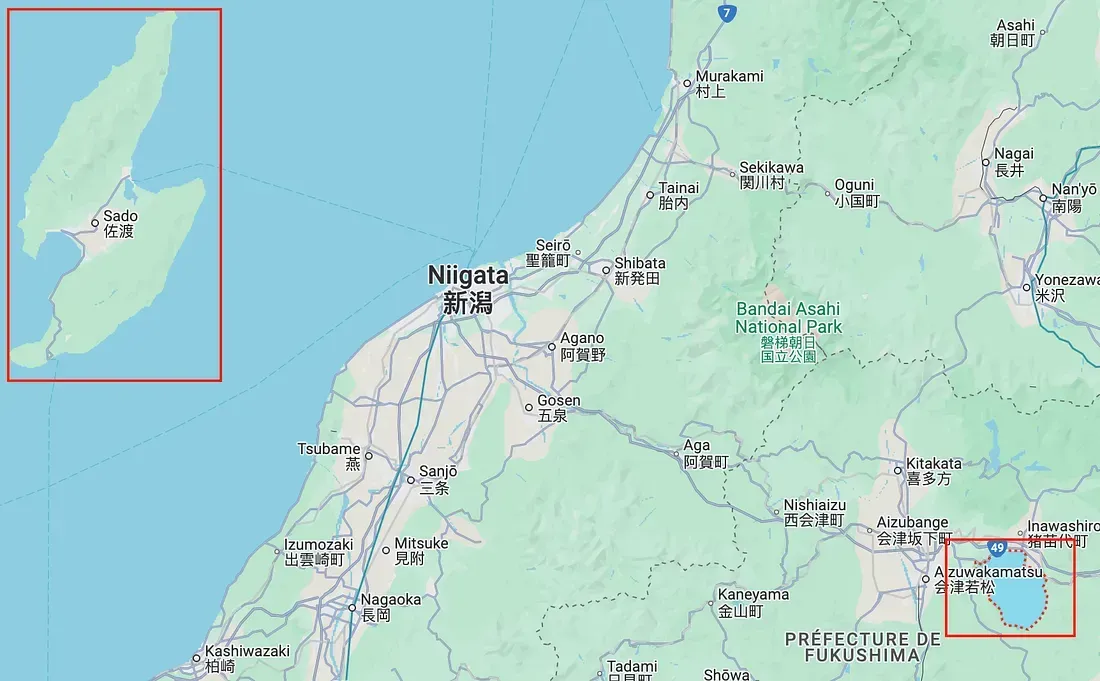
Flag 3: Lake Inawashiro
Flag 4 has already been found and can refer to the Deep Paste data previously discovered (see fourth line, City Free WiFi):
Plus, we found the Home WiFi in Hirosaki.
Flag 4: Hirosaki
Conclusion
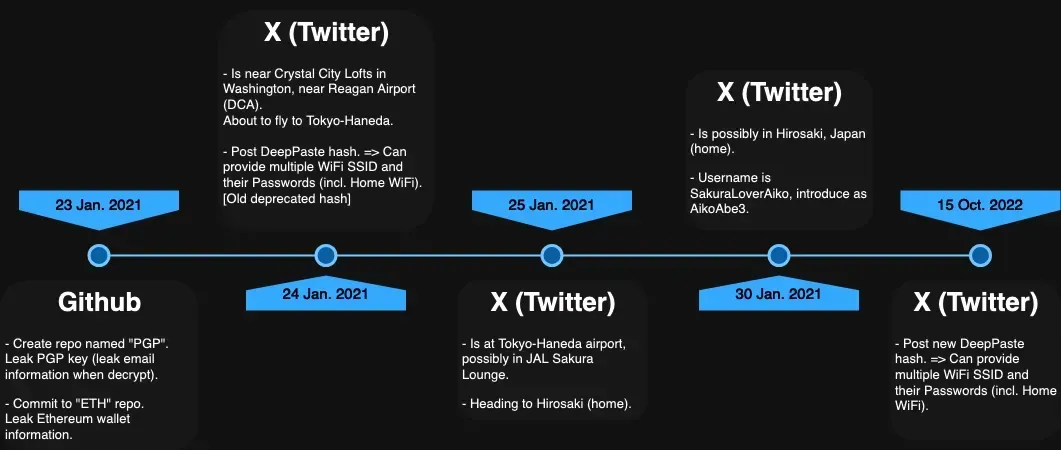
All flags have been found, but to have a clear understanding of the chronology of events I made a simple timeline to visualize the target actions, from the PGP repository creation on Github in 2021 to the Twitter post in 2022 leaking his DeepPaste hash:
OSINT Dojo did a great job with this challenge, as the research is quite varied, with a “real-world case” feeling to it.
See you next challenge, cheers.